Tables Reference
Syntra ODBC exposes every QuickBooks Desktop entity as a SQL table: 120+ tables covering customers, vendors, items, transactions, payroll, preferences, and more. This page is the orientation map. For the exact column list of any individual table, use the live tools described below — they stay in sync with your QuickBooks file and every Syntra release automatically.
Browse tables inside Syntra ODBC
Section titled “Browse tables inside Syntra ODBC”Launch Syntra ODBC from the Start Menu and click the Tables tab. You get a live grid of every entity the current QuickBooks company file exposes, with row counts, field counts, ID type (ListID or TxnID), and sync status.
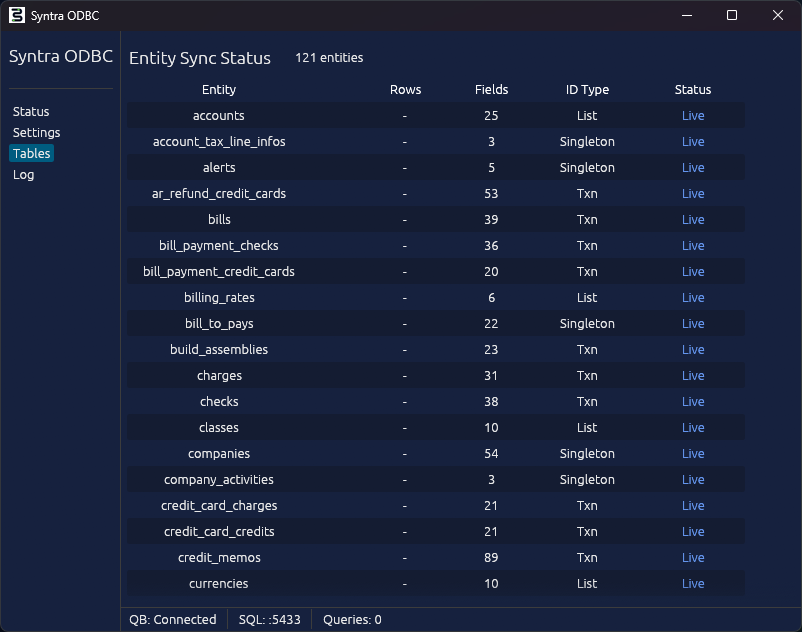
The Tables tab is read-only and updates as QuickBooks changes. Use it when you want to see what is actually populated in a specific company file, or to confirm that a table you care about has the row count you expect.
Browse tables from the Query Explorer
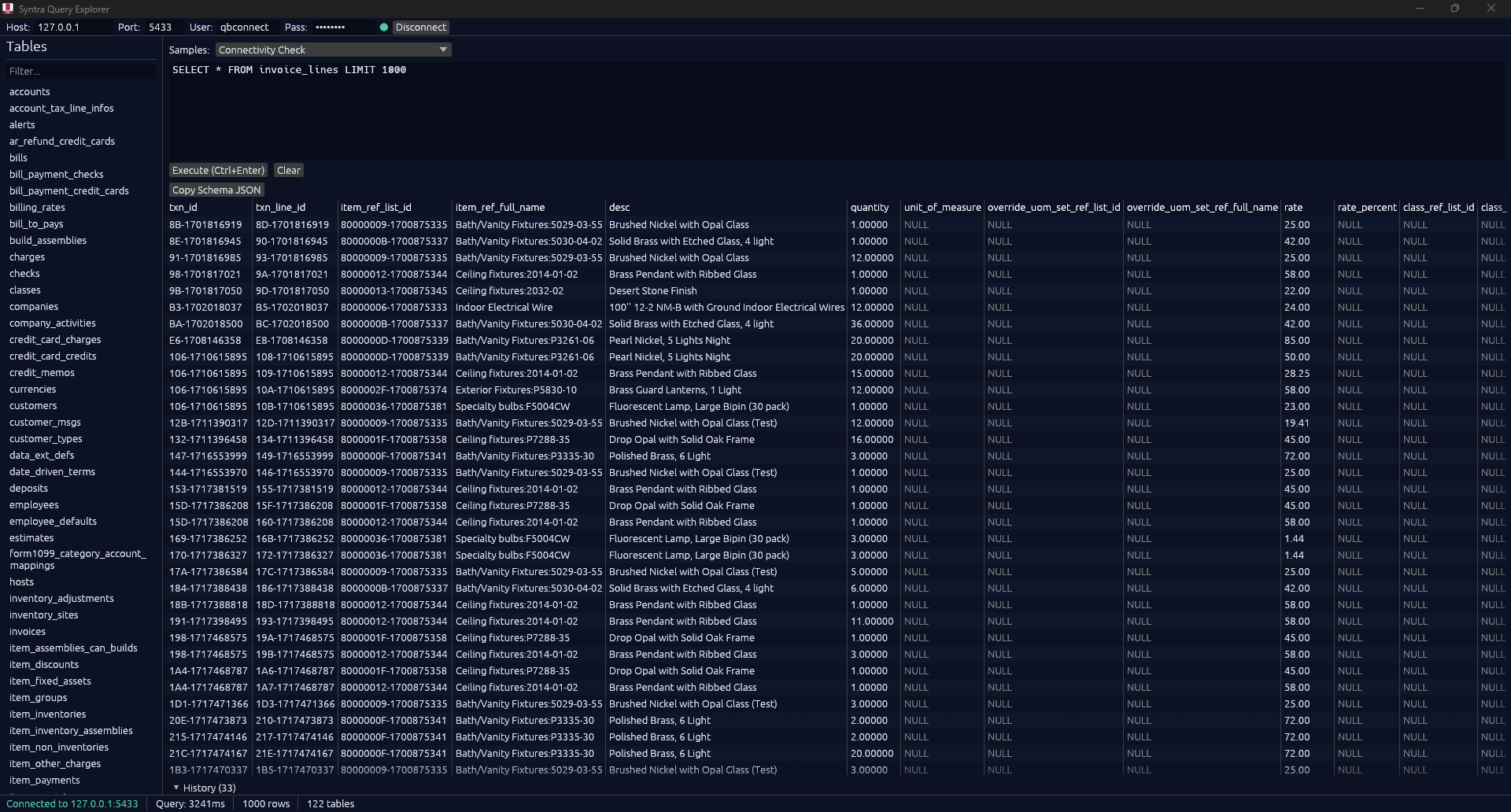
Section titled “Browse tables from the Query Explorer”For an interactive SQL workflow, use the Syntra Query Explorer instead. The left panel lists every table, clicking a name reveals its columns, and you can run ad-hoc SELECTs against any table in the same window.
Export a table’s schema as JSON
Section titled “Export a table’s schema as JSON”When you run a query in the Query Explorer, the result grid has a Copy Schema JSON button. Clicking it copies the full column list for the current result set to the clipboard in a stable, machine-readable JSON format. Use this to bootstrap ORM models, generate TypeScript types, or feed into your own schema tooling.
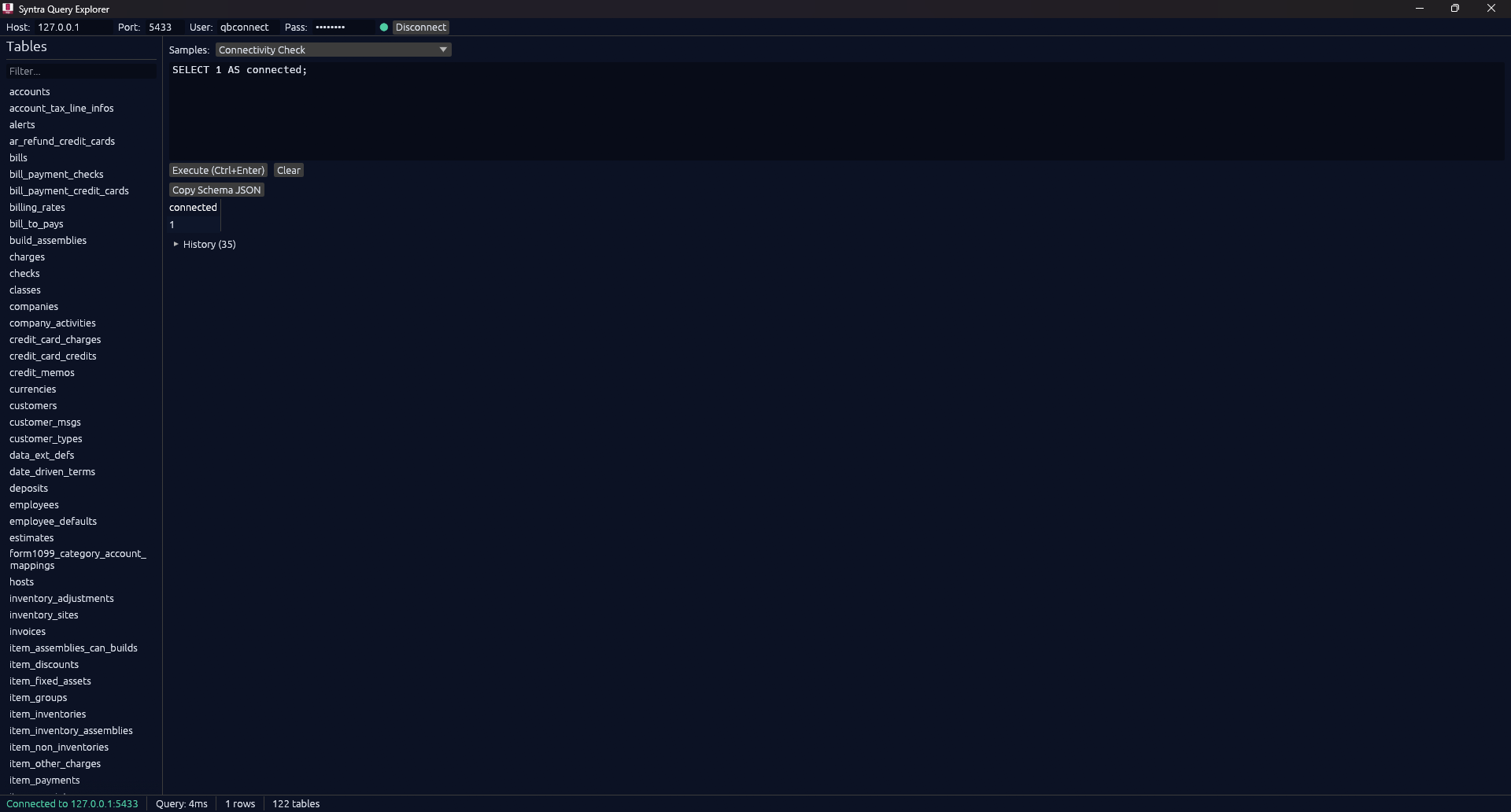
Example output, from running SELECT list_id, time_created, is_active, sublevel, balance, account_number FROM accounts:
[ { "name": "list_id", "type": "varchar", "oid": 1043 }, { "name": "time_created", "type": "timestamp", "oid": 1114 }, { "name": "is_active", "type": "bool", "oid": 16 }, { "name": "sublevel", "type": "int4", "oid": 23 }, { "name": "balance", "type": "numeric", "oid": 1700 }, { "name": "account_number", "type": "varchar", "oid": 1043 }]The type and oid fields both describe the same Syntra SQL type. See the Syntra SQL Type Reference for the full chart of every code you will see.
Query the catalog from SQL
Section titled “Query the catalog from SQL”You can also enumerate tables and columns from any SQL client:
-- List every available tableSHOW TABLES;
-- See the columns of a specific tableSHOW COLUMNS FROM customers;
-- Or via information_schemaSELECT column_name, data_typeFROM information_schema.columnsWHERE table_name = 'invoices'ORDER BY ordinal_position;
All three work from the Query Explorer, pyodbc, SQLAlchemy, JDBC, or any other client that can run SQL against the Syntra SQL server.
Table categories
Section titled “Table categories”The full list is 120+ tables. The categorized index below is an orientation guide, not an exhaustive reference. For the real schema of any individual table, use the Tables tab, the Query Explorer, or SHOW COLUMNS.
Customers and receivables
Section titled “Customers and receivables”| Table | Description |
|---|---|
customers |
Customer records (name, contact, balance, sub-customers / jobs) |
customer_types |
Customer type classifications |
customer_msgs |
Customer message presets |
invoices |
Sales invoices |
invoice_lines |
Line items on invoices (created via parent INSERT) |
credit_memos |
Credit memos issued to customers |
credit_memo_lines |
Line items on credit memos |
receive_payments |
Payments received from customers |
estimates |
Estimates / quotes |
estimate_lines |
Line items on estimates |
sales_orders |
Sales orders |
sales_order_lines |
Line items on sales orders |
sales_receipts |
Sales receipts (immediate payment transactions) |
sales_receipt_lines |
Line items on sales receipts |
charges |
Statement charges (distinct from invoices, age by billed_date) |
Vendors and payables
Section titled “Vendors and payables”| Table | Description |
|---|---|
vendors |
Vendor records |
vendor_types |
Vendor type classifications |
bills |
Bills received from vendors |
expense_lines |
Expense lines on bills and checks |
item_lines |
Item lines on bills |
bill_payment_checks |
Bill payments by check |
bill_payment_credit_cards |
Bill payments by credit card |
purchase_orders |
Purchase orders |
purchase_order_lines |
Line items on purchase orders |
vendor_credits |
Credits from vendors |
item_receipts |
Item receipts (item delivery, post to AP) |
Items and inventory
Section titled “Items and inventory”| Table | Description |
|---|---|
item_services |
Service items |
item_inventories |
Inventory items (with quantity_on_hand, average_cost) |
item_inventory_assemblies |
Inventory assembly items |
item_non_inventories |
Non-inventory items |
item_other_charges |
Other-charge items |
item_fixed_assets |
Fixed-asset items |
item_discounts |
Discount items |
item_payments |
Payment items |
item_sales_taxes |
Sales tax items |
item_sales_tax_groups |
Sales tax group items |
item_groups |
Group items (bundles) |
item_subtotals |
Subtotal items |
inventory_adjustments |
Inventory quantity / value adjustments |
inventory_adjustment_lines |
Lines on inventory adjustments |
build_assemblies |
Build assembly transactions |
inventory_sites |
Inventory site / warehouse locations |
Employees and payroll
Section titled “Employees and payroll”| Table | Description |
|---|---|
employees |
Employee records |
paychecks |
Paycheck transactions (read-only) |
paycheck_lines |
Paycheck lines (read-only) |
payroll_item_wages |
Wage payroll items |
payroll_item_non_wages |
Non-wage payroll items (read-only) |
payroll_liability_adjustments |
Payroll liability adjustments |
payroll_liability_checks |
Payroll liability check transactions (read-only) |
payroll_prior_payments |
Prior payroll payments |
payroll_year_to_date_adjustments |
YTD payroll adjustments |
time_trackings |
Time tracking entries |
workers_comp_codes |
Workers’ comp codes |
Banking and general
Section titled “Banking and general”| Table | Description |
|---|---|
accounts |
Chart of accounts |
journal_entries |
Journal entries |
journal_entry_lines |
Lines on journal entries |
checks |
Checks written |
credit_card_charges |
Credit card charges |
credit_card_credits |
Credit card credits |
deposits |
Bank deposits |
deposit_lines |
Lines on bank deposits |
transfers |
Funds transfers between accounts |
transfer_inventories |
Inventory transfers between sites |
sales_tax_payment_checks |
Sales tax payment checks |
Lists and reference data
Section titled “Lists and reference data”| Table | Description |
|---|---|
classes |
Class tracking categories |
currencies |
Currencies (multi-currency companies) |
payment_methods |
Payment method types |
sales_tax_codes |
Sales tax codes |
ship_methods |
Shipping methods |
standard_terms |
Standard payment terms (Net 30, etc.) |
date_driven_terms |
Date-driven payment terms |
price_levels |
Price level adjustments |
billing_rates |
Billing rate levels |
job_types |
Job type classifications |
sales_reps |
Sales representatives |
other_names |
Other names list |
vehicles |
Vehicles (for mileage tracking) |
vehicle_mileages |
Mileage entries |
unit_of_measure_sets |
Unit of measure sets |
templates |
Form templates (read-only) |
to_dos |
To-do list entries |
leads |
Sales leads |
Singletons and metadata (read-only)
Section titled “Singletons and metadata (read-only)”| Table | Description |
|---|---|
companies |
Company file information |
company_activities |
Company activity log |
preferences |
QuickBooks preferences |
hosts |
Host configuration |
alerts |
Active alerts |
data_ext_defs |
Custom field definitions |
employee_defaults |
Employee default settings |
form1099_category_account_mappings |
1099 category to account mappings |
payroll_last_periods |
Last payroll period markers |
item_assemblies_can_builds |
Assembly build-quantity-available computation |
item_sites |
Per-item per-site inventory |
sales_tax_payables |
Sales tax payable balances |
sales_tax_returns |
Sales tax return definitions |
list_deleteds |
Deleted list entries |
txn_deleteds |
Deleted transactions |
transactions |
Aggregated transaction view across types |
Accounts metadata
Section titled “Accounts metadata”| Table | Description |
|---|---|
account_tax_line_infos |
Account tax-line info |
- All table names are lowercase snake_case. Column names follow the same convention.
- Primary keys:
list_idfor list entities (customers, vendors, items, accounts),txn_idfor transactions (invoices, bills, journal entries, checks). - Line tables (
invoice_lines,expense_lines,journal_entry_lines, etc.) are children of their parent transaction. Most line tables cannot be directly inserted; create lines by passing a_linesarray in the parent’s INSERT, or use the SQLline_*column prefix pattern. See INSERT / UPDATE / DELETE. - Custom fields are auto-discovered from your QuickBooks file and appear as additional columns on the relevant table. See Custom Fields.
- Writability flags: every table’s
supports_insert,supports_update, andsupports_deleteflags are visible in the Tables tab (screenshot above) and via the MCPdescribe_tabletool.INSERT,UPDATE, andDELETEare available on Standard and Pro; voiding a transaction requires Pro.
See also
Section titled “See also”- Query Explorer - interactive SQL client with table browser
- Syntra SQL Type Reference - chart of type codes for Copy Schema JSON output
- SELECT Queries - full SQL surface for reading data
- INSERT / UPDATE / DELETE - full write support on Standard and Pro
- Custom Fields - how Syntra discovers and exposes QuickBooks custom fields